
+

Squarespace

Embed your VideoNest library anywhere on your Squarespace site, with full control over playback, layout, and ownership.

Get Started in 3 Easy Steps

Upload Your Content

Upload your videos to the VideoNest platform or using cloud integrations.

Generate Your Feed

Create a compliant MRSS feed using our feed generator.

Submit to

Squarespace

Copy your unique feed URL and provide it to the platform.

Why Use VideoNest with Squarespace

VideoNest provides a professional, stable home for your entire video library, plus a fast, customizable video player. Squarespace provides the ability to publish clean, modern websites without code.

Together, VideoNest and Squarespace enable you to:

  • Host and organize your videos in one place
  • Embed videos or full channels on any Squarespace page
  • Unlock monetization and distribution options as your library grows

Video embeds work on every VideoNest plan that includes the video player, from Free through Enterprise. As you upgrade, you gain access to websites, advanced feeds, and monetization without changing how embeds work.

What You Unlock with VideoNest on Squarespace

  • Embed a single video on any page or section
  • Embed a channel carousel to showcase your latest videos
  • Control playback options from the VideoNest admin, including autoplay and captions
  • Keep your content centralized in VideoNest, while your site renders the player

Everything runs through the VideoNest Embed Code or Channel Embed, added using a Squarespace Embed Block.

Requirements

Before you start, make sure you have:

  • An active VideoNest account with video player access
  • At least one video uploaded or synced into your VideoNest library
  • A Squarespace site where you can edit pages
  • Access to Squarespace's Embed or Code component

Option 1: Embed a Single Video

Use this when you want a specific video in a page, landing section, or content block.

Step 1: Copy the VideoNest Embed Code

  1. Log in to VideoNest
  2. Open your Library and select the video
  3. Locate the Embed Code section below the player
  4. Click Copy to copy the embed code

This embed code contains everything Framer needs to render the VideoNest player correctly.

Step 2: Add the Embed Block in Squarespace

  1. Log in to Squarespace
  2. Open the page where the video should appear and click Edit
  3. Hover at the desired location and click the “+” button
  4. Select Embed
  5. Click the </> Code icon to open the embed editor
  6. Paste the VideoNest embed code

Step 3: Save and Publish

  1. Click Apply inside the Embed Block
  2. Click Save or Publish

Your VideoNest player now renders directly on your Squarespace page, pulling the video from your VideoNest library.

Option 2: Embed a Channel Carousel

Use this when you want a playlist that automatically updates from a channel or collection.

Step 1: Copy the Channel Embed Code

  1. In VideoNest, open the channel or playlist
  2. Open the embed or channel settings
  3. Configure any basics, such as:
    • Default sort order
    • Player layout, if available
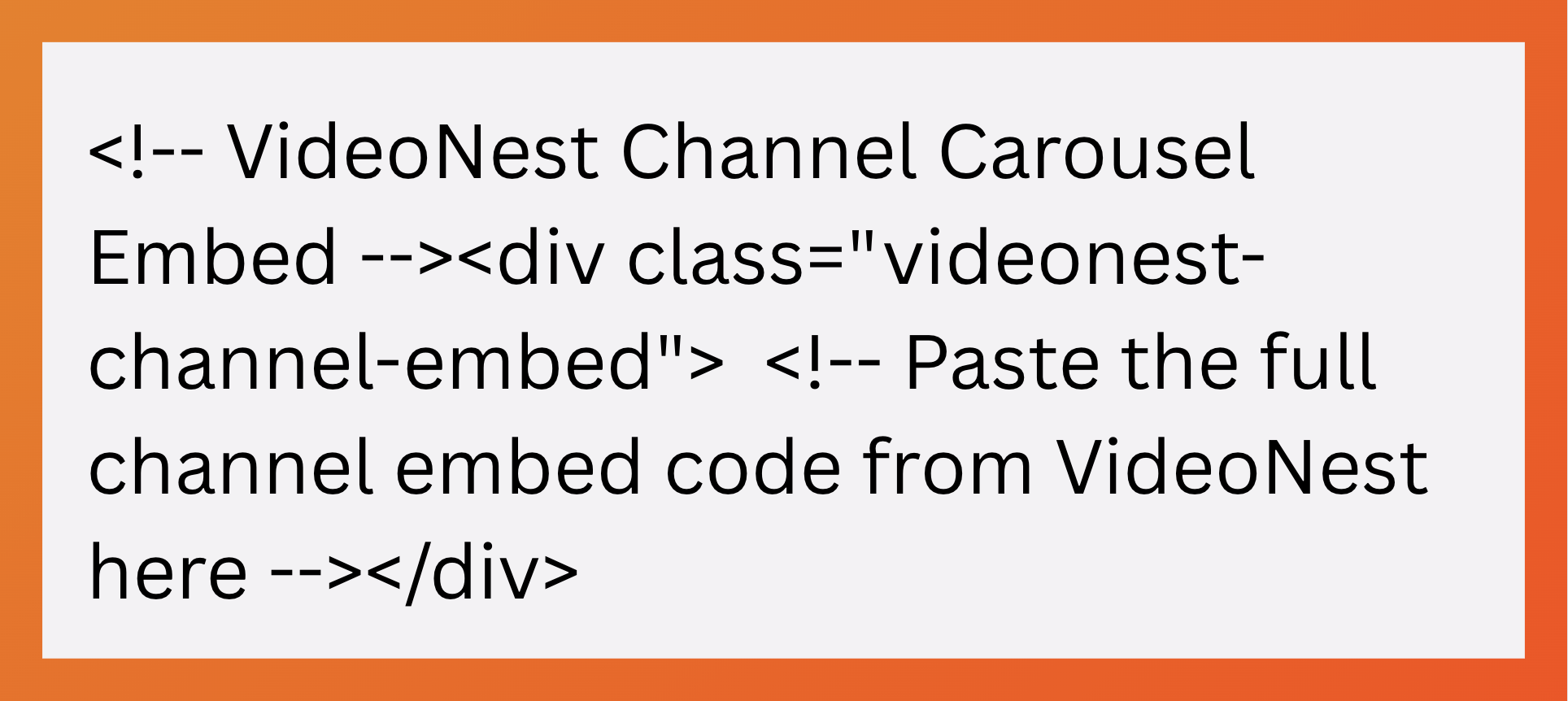
  4. Copy the Channel Embed Code

This works similarly to a single-video embed, but dynamically pulls videos from the channel.

Step 2: Add the Embed Block in Squarespace

  1. Open the page where the carousel should appear and click Edit
  2. Add an Embed Block
  3. Click the </> Code icon
  4. Paste the Channel Embed Code
  5. Click Apply, then Save or Publish

As new videos are added to the channel in VideoNest, the carousel updates automatically based on channel configuration.
Best Practices

  • Place embed code in a clean Embed Block with no other content inside
  • Add headings or context above or below the player for clarity and SEO
  • Manage playback behavior in VideoNest, not Squarespace

Get Started

  • New to VideoNest: Create an account, upload or sync your first video, and copy your embed code
  • Already a customer: Embed your most important video or channel on a key Squarespace page and start turning site traffic into engaged viewers

For more details on Squarespace embeds, see the official Squarespace documentation.

For more information, please see the

Squarespace

Try VideoNest Today

Upload 25 videos for free, then starts at $29/month.
Upload Videos